Key takeaways
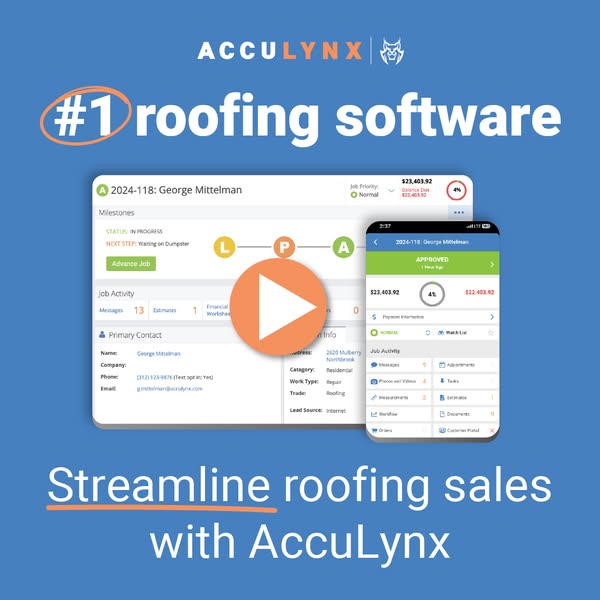
- Format: Product shot of the real desktop and mobile UI with a video play button.
- Best for: Software brands that want to show the product and drive demo or video views.
- Hook: A bold "#1 roofing software" category claim with a hand-drawn circle around #1.
- Reuse it: Drop your own dashboard and app screens into the frame and keep the play button.
Available sizes
What is a product shot ad?
A product shot ad puts the product itself at the centre of the frame, usually on a clean or styled background with little text. It works best when the packaging or product is distinctive enough to stop the scroll and the viewer already understands what it does.
See all product shot ads →Why this product shot ad works
- 01
Category leadership claim
"#1 roofing software" tells buyers they are looking at the default choice, which reduces risk for a big platform decision.
- 02
The real product, not stock imagery
Showing an actual job record with milestones and dollar values proves the software exists and looks easy to use.
- 03
Play button invites the click
A large orange play icon signals there is a quick video to watch, raising curiosity and click-through even on a static image.
- 04
Desktop plus mobile in one frame
Pairing the office dashboard with the phone app quietly answers the question "does it work in the field?" without extra copy.
Full creative breakdown
Who this ad targets
Roofing contractors, sales managers and office administrators in the US who are actively evaluating roofing CRM or job management software. These are problem-aware prospects who already know they need a system and want to see what it looks like before booking a demo. The mobile screen also speaks to owners whose sales reps and project managers work on site and need job details, photos and estimates on their phones.
Copywriting analysis
The copy is minimal and works as a frame around the product. The top line "#1 roofing software" is a pure positioning statement, and the hand-drawn orange circle around "#1" adds a human, marker-on-whiteboard emphasis. The bottom line, "Streamline roofing sales with AccuLynx", states the core benefit in one verb and repeats the brand name for recall. Using "streamline" rather than a long feature list keeps it scannable, and underlining that word reinforces it. The rest of the persuasion is delegated to the UI screenshot, letting the product speak for itself.
Visual design
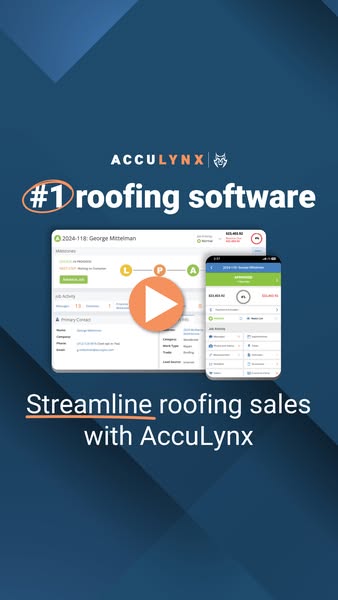
Dark navy with subtle angular panels gives the vertical version a premium, tech-forward look and makes the white UI screenshots glow. All content is clustered in the middle of the canvas, leaving clean margins top and bottom for platform overlays. The orange accents — circle, play button and underline — create a vertical reading path. The white wordmark with orange "LYNX" ties the brand colours together and matches the rest of the campaign.
How to adapt this template for your brand
- Take clean, realistic screenshots of your desktop dashboard and mobile app using demo data.
- Write a short positioning claim at the top ("#1 [category] software") only if you can substantiate it.
- Circle or underline the key word in a contrasting brand colour to give a hand-drawn emphasis.
- Overlap the phone over the desktop screen and add a large play button if you have a demo video.
- Close with a one-line benefit statement that repeats your brand name, then link to a short demo video or landing page.
Tips for saas ads on Meta
This creative is ideal as a thumbnail for a short product demo video on Meta and YouTube, or as a static image linking to a demo page. On Meta, use the square in Feed and the vertical in Stories and Reels. On LinkedIn, the square works well in Sponsored Content targeted at construction and roofing company owners. On Google Display, keep the UI readable by avoiding the smallest banner sizes and retarget pricing-page visitors.
About this creative
This 9:16 AccuLynx ad places the same product demo layout on a deep navy background with faint diagonal panels. The ACCULYNX wordmark and lynx icon sit in the upper middle, followed by the white headline "#1 roofing software" with an orange hand-drawn circle around "#1". Beneath it, the desktop screen shows job 2024-118 for George Mittelman, with milestones, job activity counts, a contact panel and a job value of $23,403.92. A phone screen overlaps on the right showing the job as "Approved" with activity tiles for messages, photos, measurements and documents. A large orange play button sits over both screens to suggest a video walkthrough. The bottom line reads "Streamline roofing sales with AccuLynx", with "Streamline" underlined in orange. The extra height leaves empty navy space above and below the content, which keeps the key elements clear of Story UI overlays while preserving the same message as the square version.
Meta ad · 338 × 600 · SaaS
AccuLynx Ad: #1 Roofing Software Product Demo Creative
This vertical AccuLynx ad brings the "#1 roofing software" product shot to Stories and Reels. Desktop and mobile job screens sit behind a play button on a navy background, inviting roofing contractors to watch a quick demo. It is a ready-made 9:16 template for SaaS brands promoting product videos.
Added
All brand names and logos are property of their owners. Adplaylist is not affiliated with or endorsed by these brands.
Details
Ad copy
Primary text
Run your entire roofing business from one place. With AccuLynx you can track every job from lead to final payment, manage crews and materials, send estimates and keep homeowners updated — on desktop or in the field on your phone. Watch how AccuLynx streamlines roofing sales.
Description
Streamline roofing sales from lead to payment
On-image text
ACCULYNX | #1 roofing software | Streamline roofing sales with AccuLynx (plus product UI: job 2024-118: George Mittelman, Milestones, Job Activity, Primary Contact, APPROVED, $23,403.92)
Headline ideas for this template
- 1See How Top Roofers Run Their Business
- 2Every Roofing Job, From Lead to Payment, in One App
- 3Watch: Manage Roofing Jobs From Your Phone
- 4The Roofing CRM Built for Contractors
- 5Take a 2-Minute Tour of AccuLynx
Meta image ad specs
| Placement | Ratio | Size (px) |
|---|---|---|
| Feed | 1:1 or 4:5 | 1080×1080 / 1080×1350 |
| Marketplace | 1:1 | 1200×1200 |
| Messenger inbox | 1:1 | 1200×1200 |
| Stories & Reels | 9:16 | 1080×1920 |
This template is 1:1. Request 4:5 or 9:16 to cover all placements.